IFC import
Storeys, components, properties, classification — straight from the openBIM format
BIT-ATELIER
Check clashes, duplicates and employer's information requirements with buildingSMART IDS — locally on your computer, with findings returned to the consultants as BCF.
The difference
The checking and evaluation tools behind my services are developed in house: the BIT-Atelier platform reads IFC models directly (buildingSMART standards, no cloud required), derives quantities by filter on a WHAT ∩ STATE principle, and checks models for clashes and requirements compliance (IDS) — returning findings as BCF.
For you that means checking rules tailored precisely to your project, no licence costs passed on through the fee — and no dependence on third-party software subscriptions.
Your model, your findings
Load your IFC into BIT-Atelier, start the check — out come a check report (PDF), a findings list (CSV/Excel) and BCF for the consultants. No upload, no account, no cloud: reading, checking and saving all happen on your device.
Check it yourself: disconnect from the network — the check keeps running.
Measured on 12 Oct 2026 with version 1.1.0 on a desktop computer (Intel Core i9-10850K, 64 GB, Chromium 148): sample project (9 elements, 15 kB) read in under 0.2 s and checked in under 0.15 s; a 2 MB export from ArchiCAD (39 elements) read in under 0.5 s and checked in under 0.15 s — the same with and without network, not a single request leaving the machine.
The limit: larger models have not been measured yet, nor other browsers. The check runs in the browser window — your computer and its memory decide how far it goes. The app only goes online for the update check at GitHub (can be switched off) and for AI features, if you set up a provider.
Storeys, components, properties, classification — straight from the openBIM format
Rule matrix per discipline pair, tolerances, duplicate detection
Information requirements made machine-checkable to buildingSMART IDS
Findings arrive as open issues directly with the specialist designers
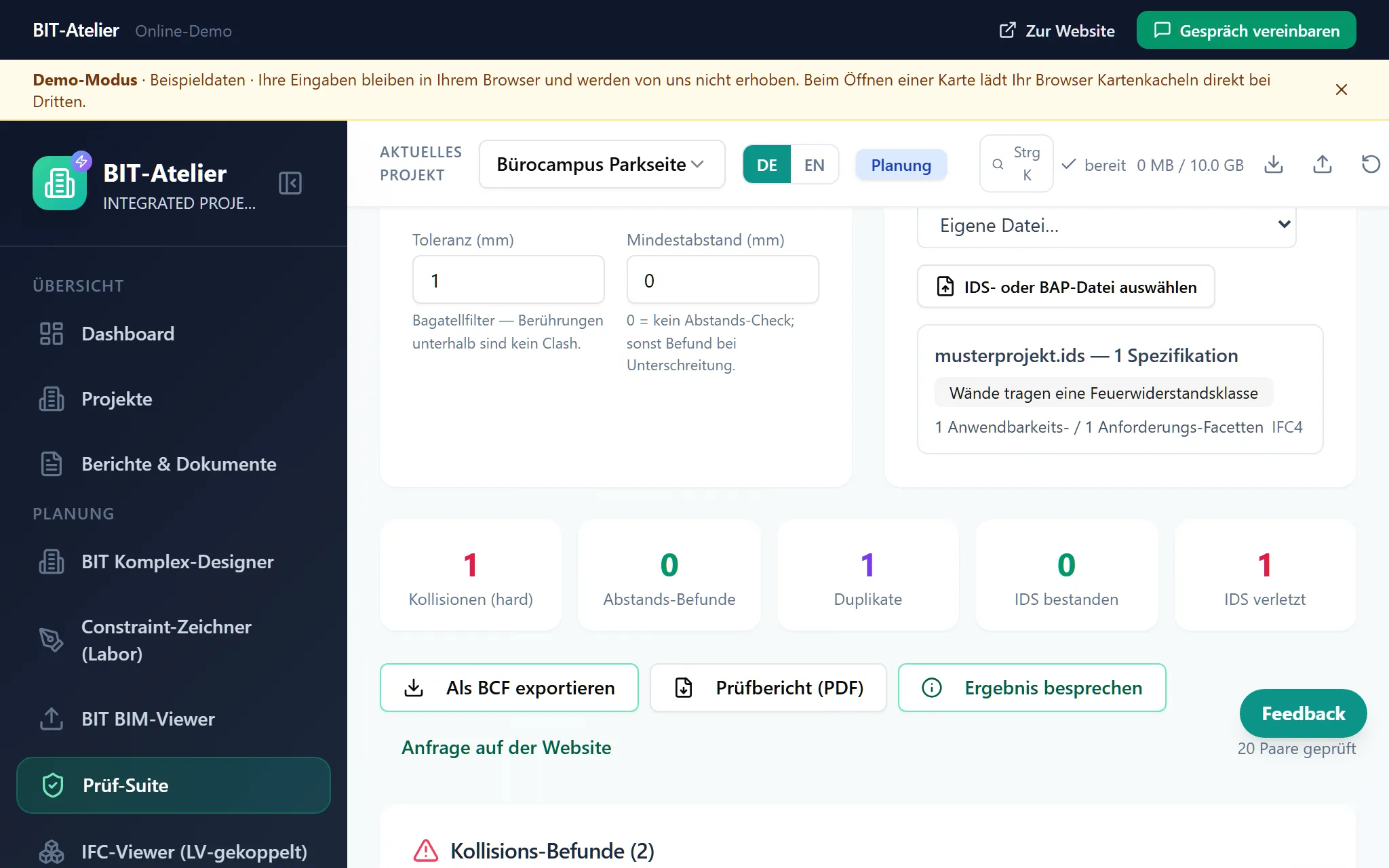
This is what your findings look like.
Check report and findings list from a run on a bundled sample project — synthetic, no project data. You can trigger the same run yourself in the open-source version with one click; the BCF opens in any common coordination software.
Both files are licensed under CC BY 4.0 — free to use with the attribution "BIT-ATELIER (bit-atelier.de)". What is inside (in German).
Contact
Whether it is a building project or a digitalisation project — tell me briefly what you have in mind. As protection against spam, my contact details only appear on click.
Nuremberg region · projects across Germany
A few details and your text is ready below — to send from your mail app, to copy, or to print. Nothing is transmitted and nothing is stored.
Only via Gmail or Outlook Web does your text travel in the address to that provider — with your mail program, copying and printing nothing leaves your computer.